
How to Cancel a Lowe’s Order?
To cancel a Lowe’s order, an Order status Change must be applied before canceling order. The reason for this is, before an order can be cancelled, Lowes must first approve a cancel request. Once Lowe’s approves the cancel request, the order can then be cancelled in VendorBridge.
Note: If retailor sends a cancel request, do not apply Order status change. You are only required to cancel order. (How do I cancel an order?)
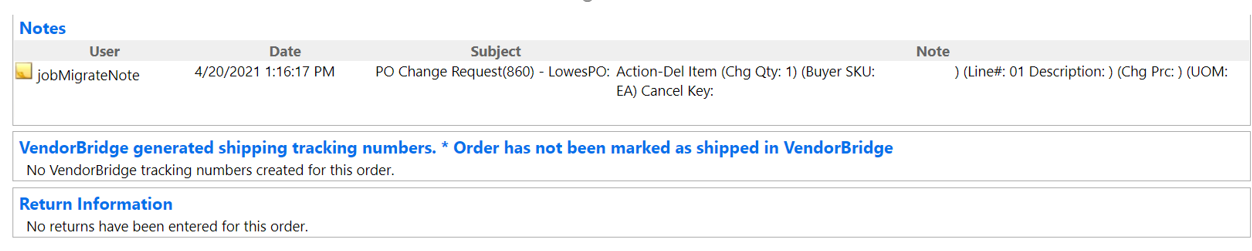
- Look up the order which needs to be cancelled (How do I look up an order? Click Here)
- On the Order Information page click the option to Apply order status change.
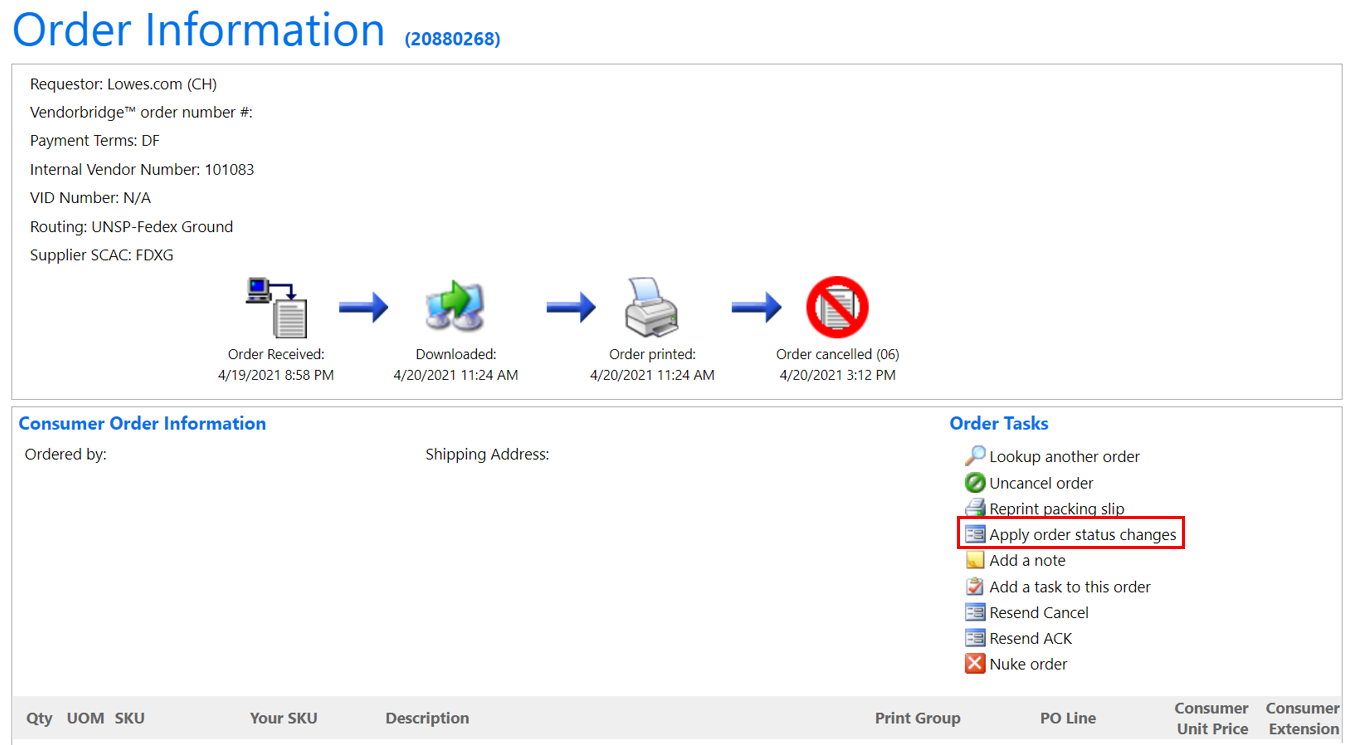
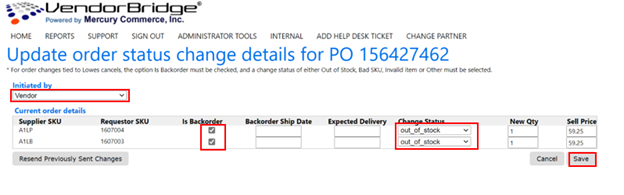
- On order status change page please complete the following options:
-
-
- Initiated By select “Vendor”
- Check “Is Backorder” for all Lines that will need to be cancelled
- For Change status Dropdown list select one of these 4 reasons: Out_of_stock, Bad SKU, Invalid Item or Other
- Click Save.
-
- After clicking save, in approximately 1 to 2 hours, Lowe’s will allow the order to be cancelled. The order can at that point be cancelled in VendorBridge.
- Click (How do I cancel an order?) for instruction to complete cancelling the order.
Still stuck?
Tell us what you tried and we will take it from there. We will know which article you were reading.