
All UPS shipping labels generated via the UPS API orders will auto-ship at 9-pm eastern.
Marking orders as shipped prior to 9pm
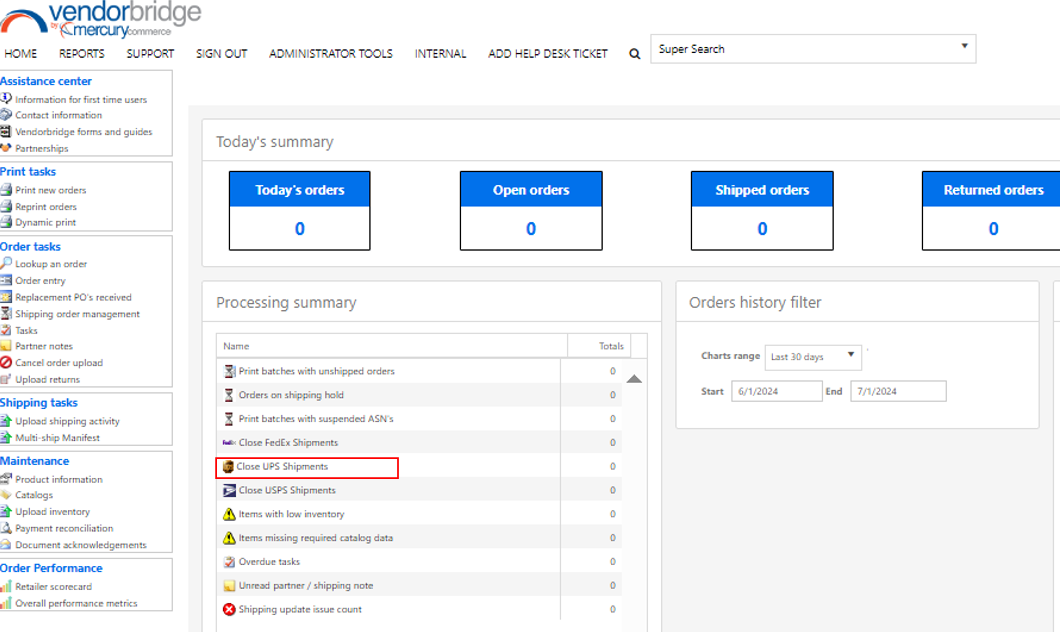
If orders must be closed prior to 9pm eastern, there is a link available on the homepage, Close UPS Shipments, which will allow you to close all orders for today which have a UPS shipping label generated via the API.
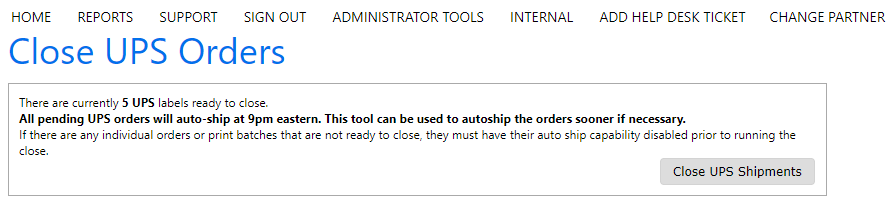
After clicking Close UPS Shipments, on the homepage, click the close UPS shipments button on the Close page. In approximately 5 minutes the order will then be marked as shipped and the shipping data will be sent to the retailer shortly thereafter.
Disabling orders as shipped prior to 9pm eastern
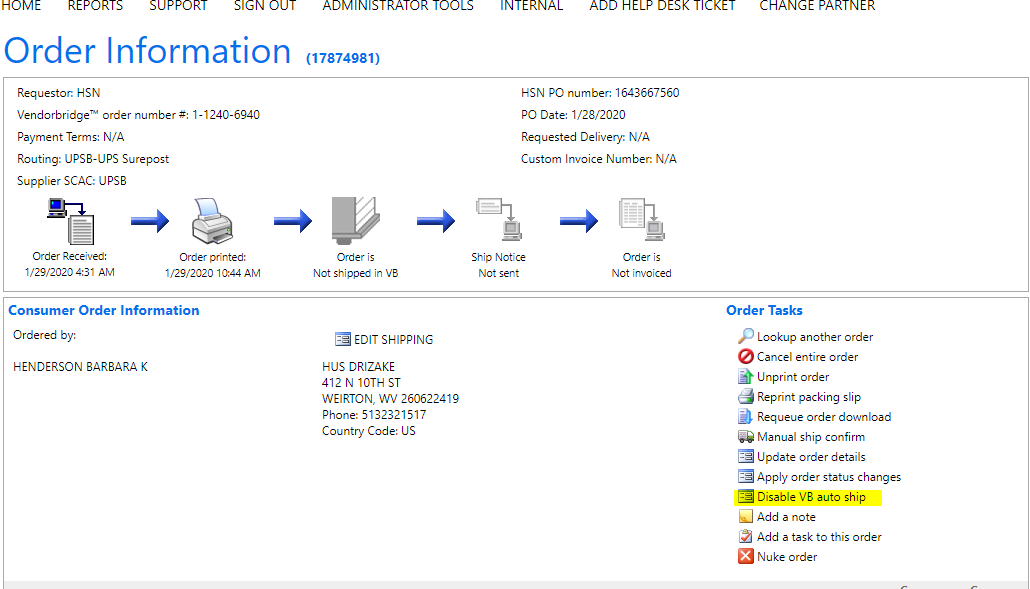
Orders can be disabled from shipping either on an order by order basis, or by a disabling all order's in a batch. To disable a single order from auto shipping, navigate to the order in question and click disable VB auto ship.
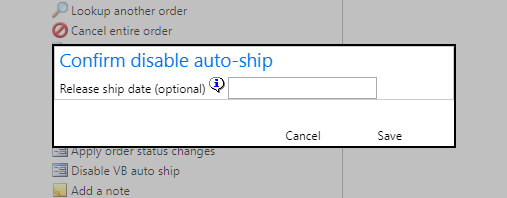
After clicking disable VB auto ship, a popup will show enabling the user to disable the auto shipment indefinitely. If a date is known when the order will be released to ship, a release ship date can be entered. To re-enable the auto shipment of the order, the link text will change to now reflect as Enable VB auto ship and can be clicked to have the order auto ship at 9pm eastern.
To disable a batch of orders from auto shipping, navigate to the batch of orders which all must be disabled from auto-shipping.
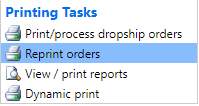
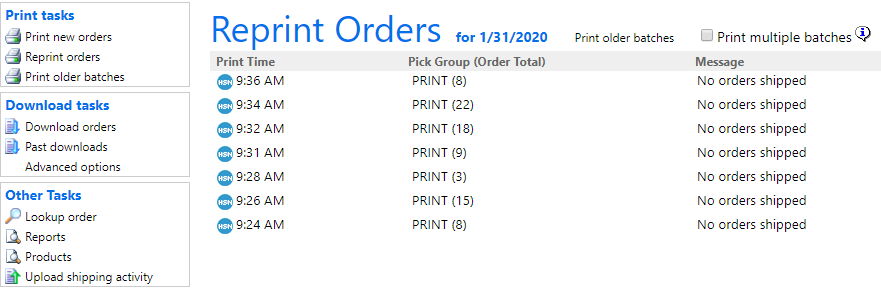
Click the batch to be directed to the reprint orders screen.
Under batch tasks (click Disable auto-ship)
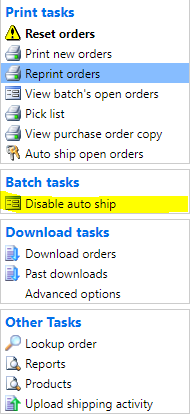
After clicking disable VB auto ship, a popup will show enabling the user to disable the auto shipment for all orders in the batch indefinitely. If a date is known when the orders will be released to ship, a release ship date can be entered. To re-enable the auto shipment of the orders, the link text will change to now reflect as Enable VB auto ship and can be clicked to have the orders auto ship at 9pm eastern. Once a batch of orders are disabled for auto shipping, a link will appear on the home screen of VendorBridge noting all batches which are currently disabled for auto-shipping.
Still stuck?
Tell us what you tried and we will take it from there. We will know which article you were reading.