
Cancelling Orders
- Follow the instructions for "How do I look up an order?" to find the order that you need to cancel.
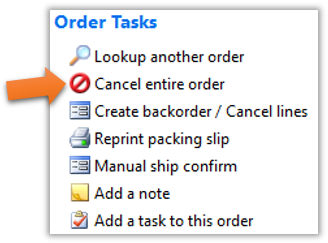
- Once you reach the Order Information page, you will notice a link list on the right side entitled “Order Tasks”. To cancel the order, click the “Cancel entire order” link, as shown below.
Still stuck?
Tell us what you tried and we will take it from there. We will know which article you were reading.