
To ensure that we send the correct dimensions to UPS when generating UPS labels, please follow the instructions below to update any missing product length, width and height.
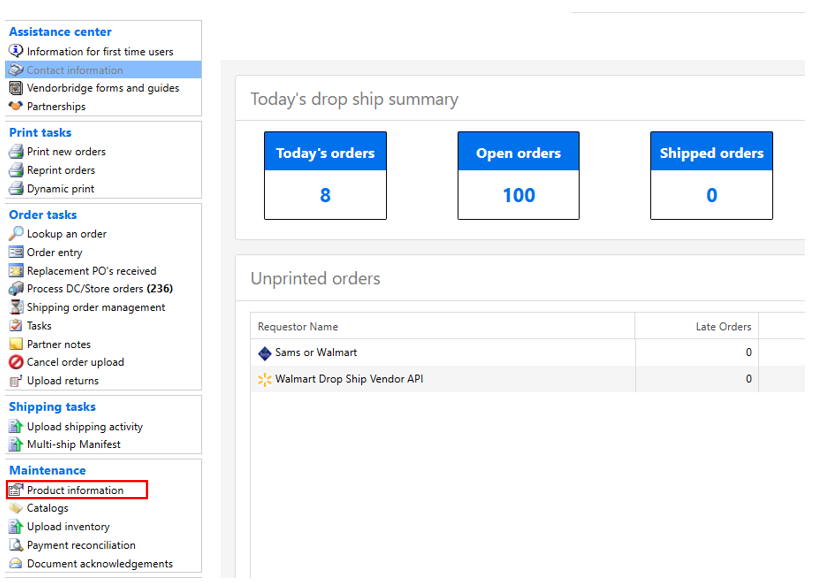
Step 1.
Click “Product Information”
Step 2.
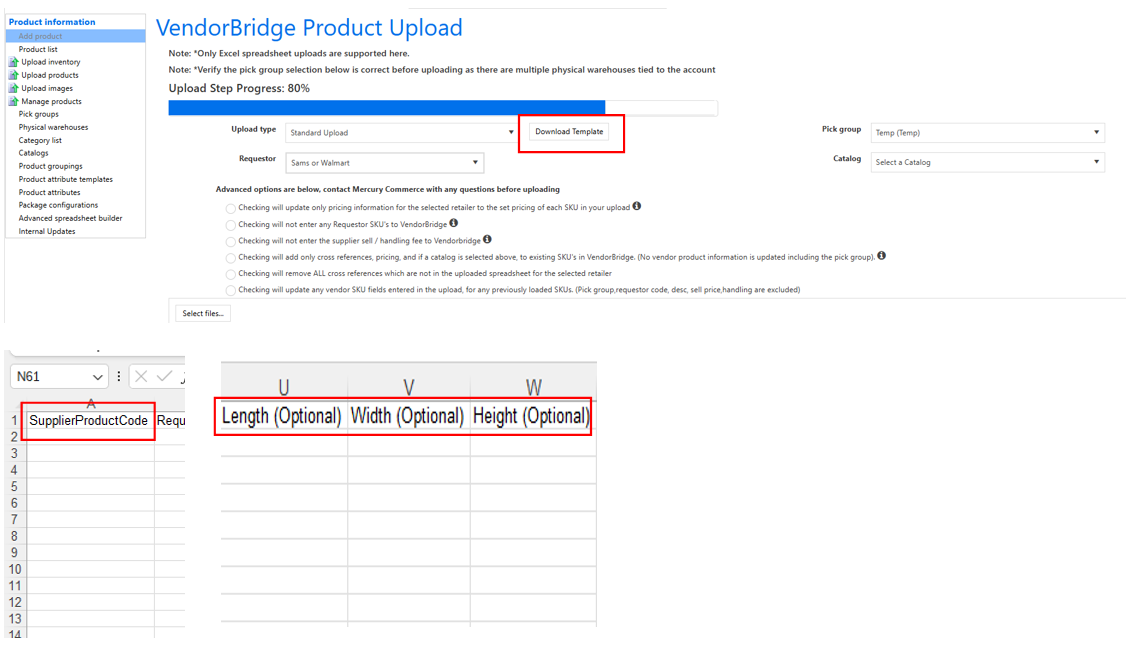
- Click "Upload Products"
- Select "standard upload" from upload type drop down menu and click "download Template"
- Enter supplier product code and dimensions to template after downloading.
Step 3.
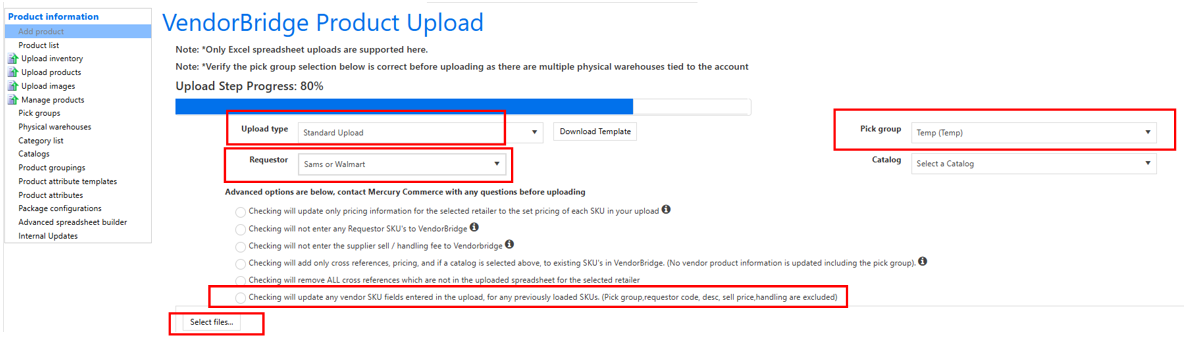
- Select upload type standard.
- Select Pick group.
- Select requestor.
- Click “advanced options”.
- Select “checking will update any SKU field entered in the upload” option.
- Click “select file” and upload excel template completed in step 2.
Still stuck?
Tell us what you tried and we will take it from there. We will know which article you were reading.