
Processing Returns
- Follow the instructions for "How do I look up an order?" to find the order that you need to return.
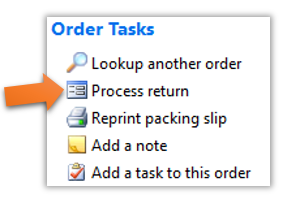
- Once you reach the Order Information page, you will notice a link list on the right side entitled “Order Tasks”. Click the “Process return” link, as shown below.
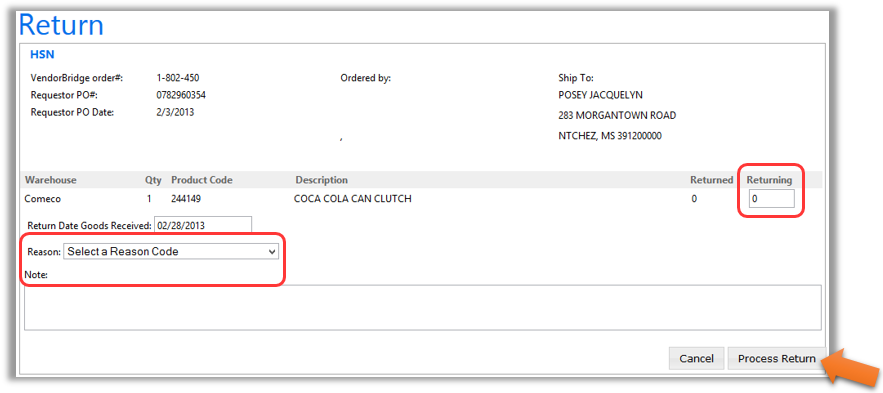
- On the Return page, you will need to fill out the number of each item being returned, the date that the goods were received, and a reason code for the return, as shown below. You may optionally add a note to the return transaction if you wish. Please Note: The note entered on the screen is for internal reference only and will not be sent to the retailer.
- Once you have entered all of the necessary information, lick the “Process Return” button in the bottom right hand corner to save the transaction.
Still stuck?
Tell us what you tried and we will take it from there. We will know which article you were reading.