
Downloading Orders
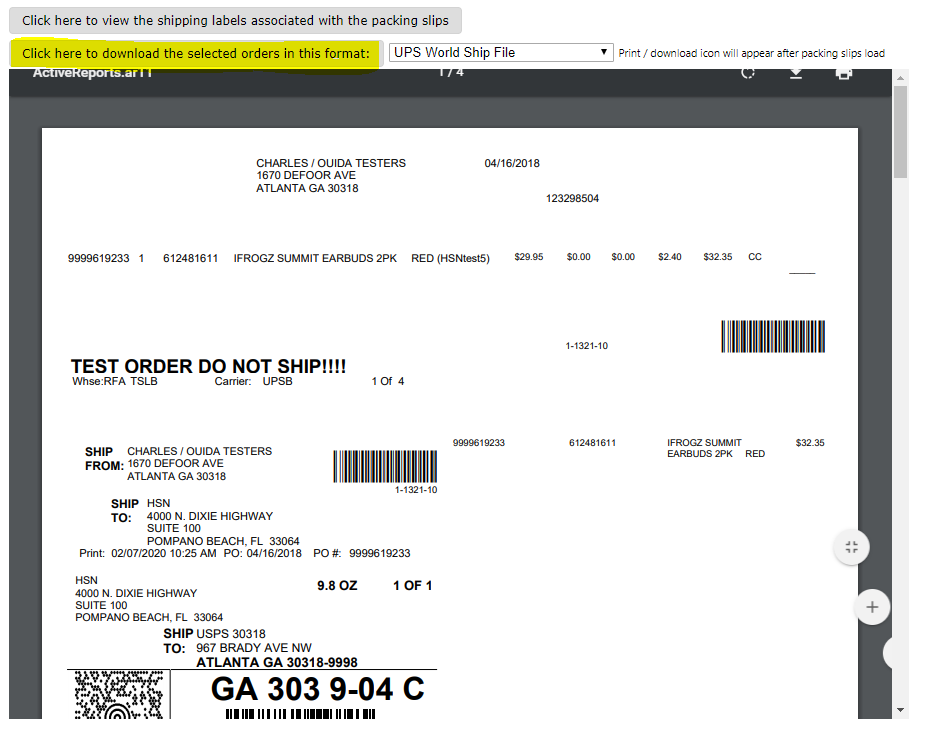
- The order file can be downloaded on the Packing Slip Preview screen. Select the proper carrier from the drop-down box at the top of the page, then click on the “Click here to download the selected orders in this format:” link to the left of the carrier box, as shown below:
- After clicking the link you should be prompted whether you would like to save or cancel, as shown below. Select Save, then click OK. (Image below for browser- Microsoft edge and Internet Explorer)
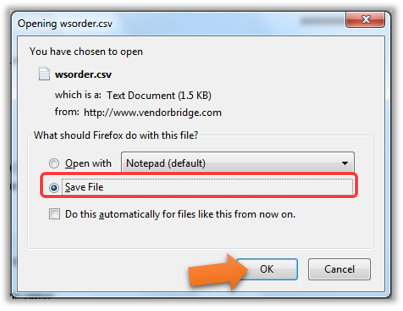
 Image if your using (Google Chrome) open the file and save it to your desktop.
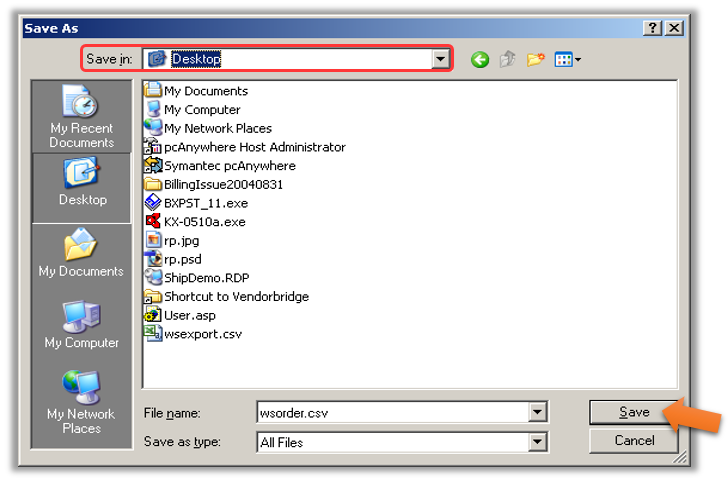
- You will now be asked where to save the file. In the "Save As" dialog box (shown below), the top drop-down menu “Save in:” should point to “Desktop”. After choosing the location, click Save. Click “Yes” if you then are prompted to overwrite the existing file.
Still stuck?
Tell us what you tried and we will take it from there. We will know which article you were reading.