
On this page
Print Preview Options
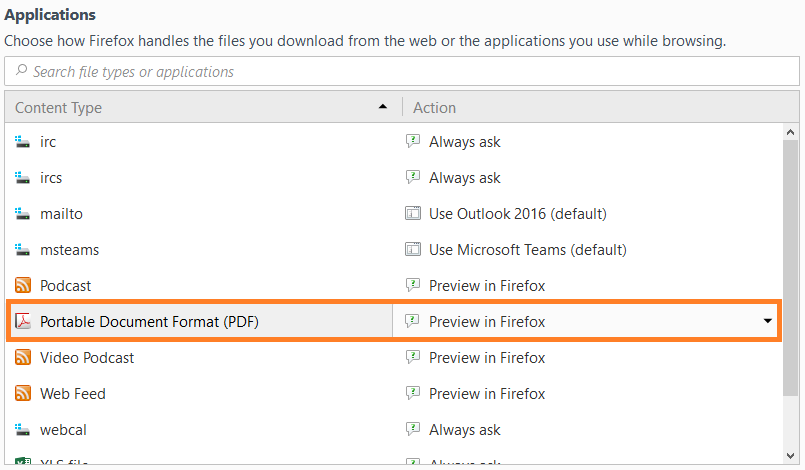
Firefox has released a new update which may create an issue rendering your packing slip. If the packing slip preview fails to render on your screen or automatically prompts you to download a PDF, you may want to examine the browser settings shown below.
In the Mozilla Firefox options on the General tab, scroll down to the Applications section. Then look for "Portable Document Format" under the Content Type column. Select the option to "Preview in Firefox". The setting will automatically be saved.
Print Job Page Scaling
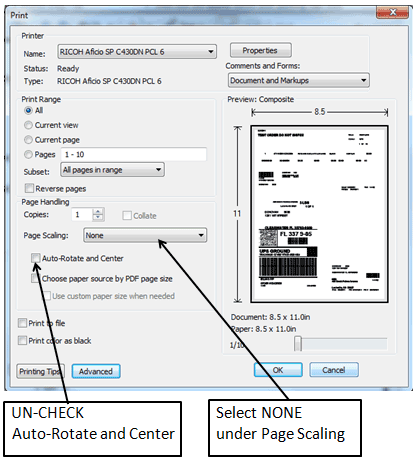
When printing via FireFox, after clicking the print button, please note the below changes are necessary prior to printing. The defaults may cause an alignment issue when printing your packing slips.
Still stuck?
Tell us what you tried and we will take it from there. We will know which article you were reading.